
Case Study · November 2, 2026
Second-Opinion Microsoft Teams Room Audio Upgrade in Annapolis, MD
How VSSi improved an office meeting room by keeping the equipment that worked and adding what was missing, in a single day.
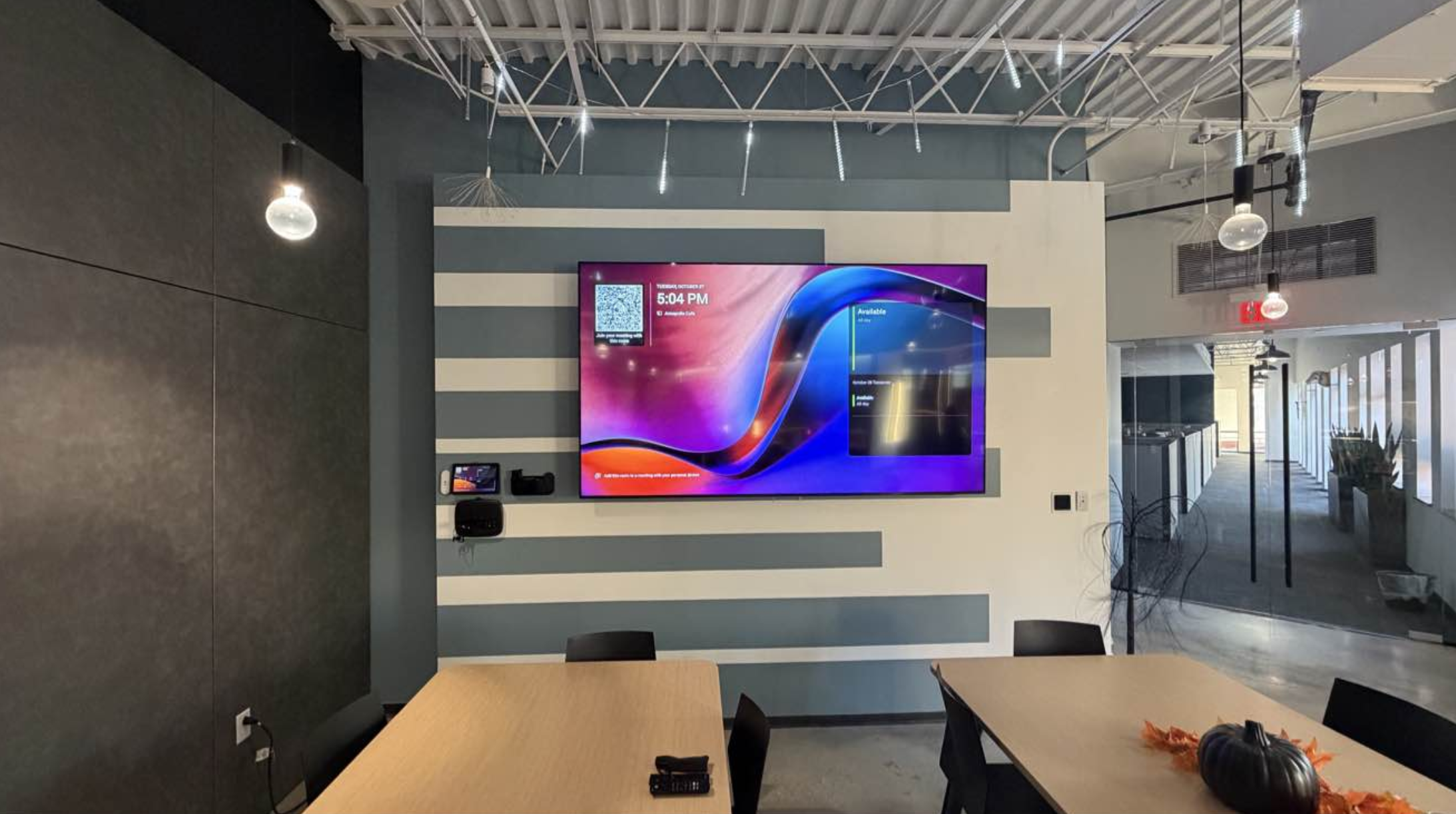
An office in Annapolis, Maryland already had a Microsoft Teams Room in its café meeting space, but the room wasn't delivering the meeting experience the team expected. They asked VSSi for a second opinion. Instead of recommending a full replacement, VSSi reviewed the system, kept the equipment that was working, and upgraded the room's audio in a single day.
Project Overview
| Property type | Office meeting room |
|---|---|
| Location | Annapolis, Maryland |
| Services | Second-opinion system review, audio upgrade, wireless microphone integration, testing and closeout documentation |
| Systems | Microsoft Teams Room with Logitech Rally camera, Logitech Tap touch panel, Biamp audio processing, Crestron amplifier and pendant speakers, Shure wireless microphone system |
The Challenge: A Room That Almost Worked
The meeting room already had capable equipment: a wall-mounted display, a Logitech Rally camera, a Logitech Tap touch panel, Biamp audio processing and Crestron ceiling speakers. Even so, the room wasn't giving the team the meeting experience they needed.
Rather than accept a recommendation to replace everything, the client asked VSSi to take a fresh look at the system and find a more practical path.
Our Solution: Keep What Works, Add What's Missing
A full review of the existing system
VSSi reviewed the room's video, control and audio equipment and documented how everything was connected. Most of the system was sound, so the display, camera, touch panel, audio processor, amplifier and speakers all stayed in place.
A focused audio upgrade
We added a Shure wireless microphone system with its access point and integrated it into the room's existing audio using two RDL mic/line mixers, so the new microphone works alongside the equipment the client already owned.
Tested and documented in one day
The installation was completed in a single day. VSSi tested the room and delivered closeout documentation, including an updated single-line diagram, so the system is easy to support going forward.
Explore our Microsoft Teams Room solutions, meeting room AV and AV maintenance and support.
The Results
- No rip-and-replace. The client kept its existing display, camera, touch panel and audio system.
- Better room audio. A Shure wireless microphone system now works with the room's existing audio processing and speakers.
- Minimal disruption. The work was completed in a single day, so the room was quickly back in use.
- Documented for the future. An updated single-line diagram makes the system easier to service.
Teams Room Upgrade FAQs
Do we have to replace our Teams Room equipment to fix it?
Not always. On this project, the display, Logitech camera, touch panel, Biamp audio processor, amplifier and speakers were all kept. VSSi added only the equipment the room needed.
What does a second-opinion AV review include?
VSSi reviews the existing equipment and how it is connected, identifies what is working and what is missing, and recommends targeted changes before suggesting any replacement.
Can wireless microphones be added to an existing Teams Room?
Yes. In this room, VSSi integrated a Shure wireless microphone system into the existing audio system using mic/line mixers.