
Case Study · April – August 2026
Conference Room and Video Wall AV Installation for a Two-Floor Office in Washington, DC
How VSSi installed and commissioned meeting room AV, an LED video wall and Cisco video conferencing across two floors of a new Washington, DC office.

VSSi's field team installed, documented and commissioned the meeting room AV, LED video wall and Cisco video conferencing systems across two floors of a client's new Washington, DC office, from cable rough-in in April 2026 through commissioning in August, working alongside four other trades on an active construction site.
Project Overview
| Client | Confidential client, Washington, DC office |
|---|---|
| Role | AV installation and commissioning support |
| Spaces | 6th and 7th floors: 10+ conference and round-table rooms, a multipurpose event room with control room, boardroom, video wall, barista bar, MDF rack room |
| On site | April – August 2026: cable and speaker rough-in (April–May), multipurpose room LED wall and ceiling devices (May–June), racks set in the MDF (June), main install and commissioning (July–August) |
| Crew | 2–5 VSSi technicians on site per day |
| Project partners | Programming team, general contractor, low-voltage cabling contractor, video wall vendor, client IT |
| Core platforms | Crestron control, Cisco video conferencing, Barco wireless presentation, Q-SYS audio |
The Challenge
The client needed every meeting space on two floors to work on day one: video calls, room control, wireless presentation, cable TV and a hybrid event room, all tied into the client's own IT network.
What the project called for:
- Many trades, one schedule. AV work was coordinated with the drywall, millwork, furniture, power and cabling teams across an active site.
- Enterprise-grade control. Crestron CP4N processors throughout, with rack space and control wiring planned to match.
- Strict IT requirements. Every networked AV device had to be identified by MAC and IP address so the client's IT team could place it on a secure VLAN.
Our Approach
VSSi treated the job as more than hanging equipment: our lead technician acted as the on-site link between the integrator's programmers, the general contractor, the cabling contractor and the client's IT team.
Daily field reporting
A foreman report was filed every working day with work completed, next-day plan, open items and progress photos, so every stakeholder knew exactly where each room stood.
Room-by-room punch lists
In the first week of the main install we published a written checklist for every remaining room on both floors, then worked it down.
Vetting, not just installing
Each 7th-floor room was inspected against spec, with every wire tested and every label checked, before final install. The 6th floor then got the same treatment.
Hands-on support for programmers
Our technicians gave the programming team a room-by-room rundown of every Crestron device and stayed with them through testing and commissioning.
The Solution, Space by Space
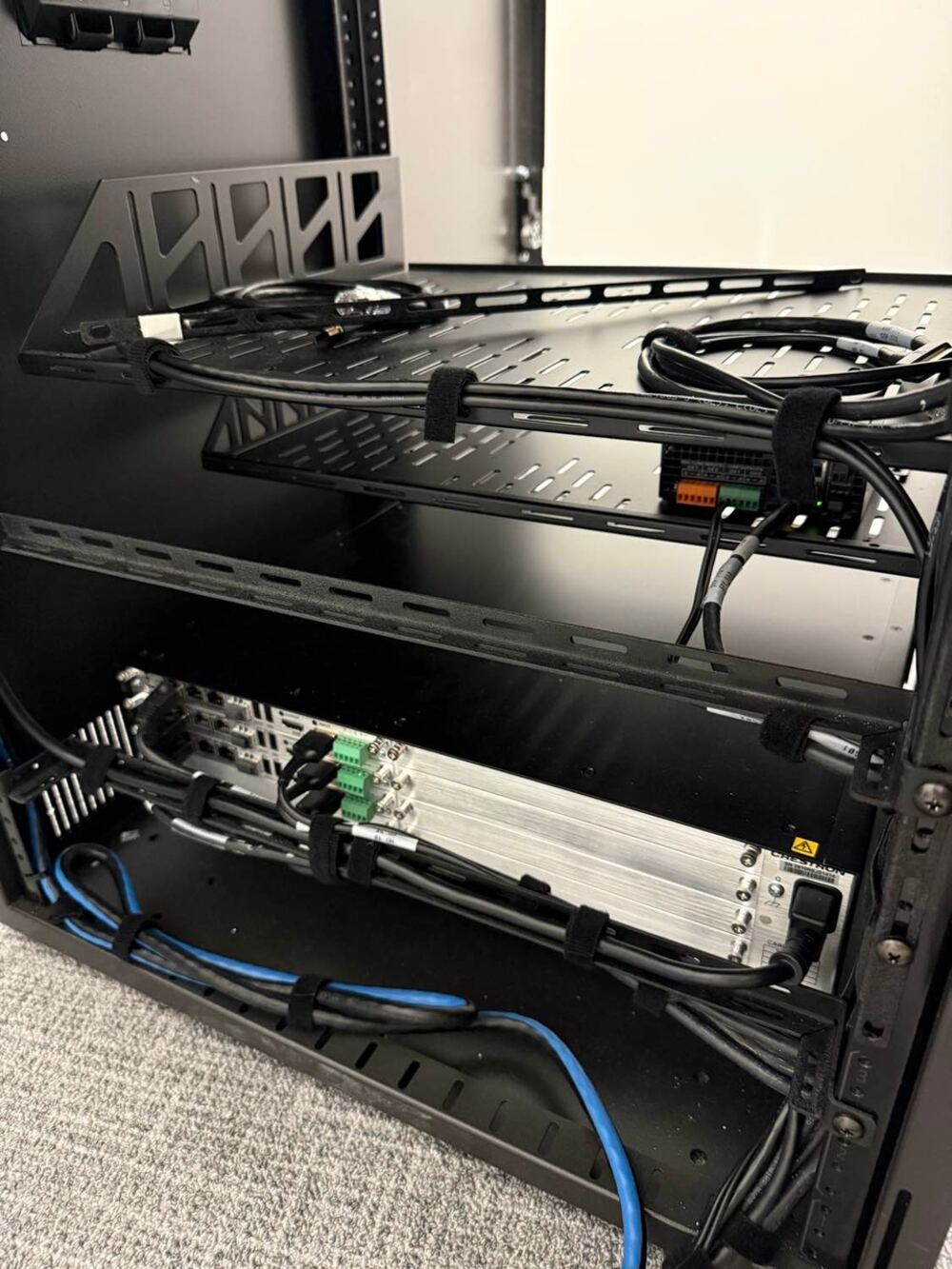
Groundwork started months before the rooms were finished. In April 2026, after the general contractor's safety orientation, the team set speaker zoning with the integrator's engineers, installed speaker mud rings and pulled cable from the 7th-floor AV rack room to the boardroom, conference rooms, the control room and the multipurpose room, while working out the cable path between floors with the electrical contractor. In May they continued ceiling and wall prep in step with the flooring, HVAC and electrical crews under the general contractor's site rules. In June they prepared both AV racks, coordinated the client-supplied network switches, and dressed cabling to final rack height so the main install could move fast once surfaces were ready. On June 19 the racks were set in the MDF, with field cabling sorted by rack and dressed into the cable tray above them.
| Space | What VSSi delivered |
|---|---|
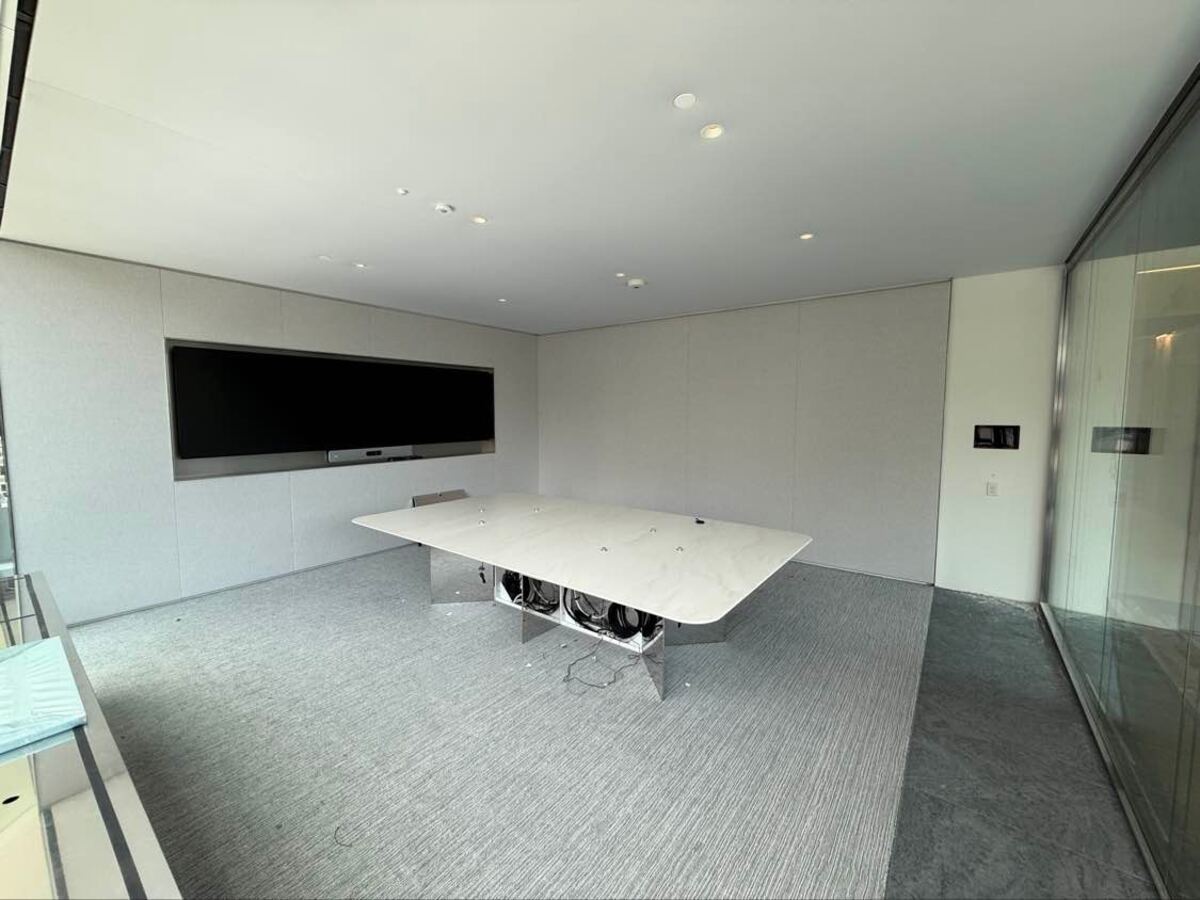
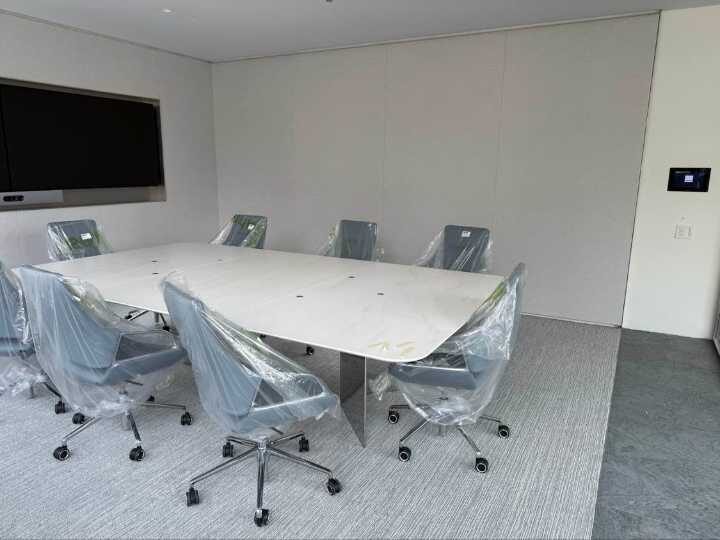
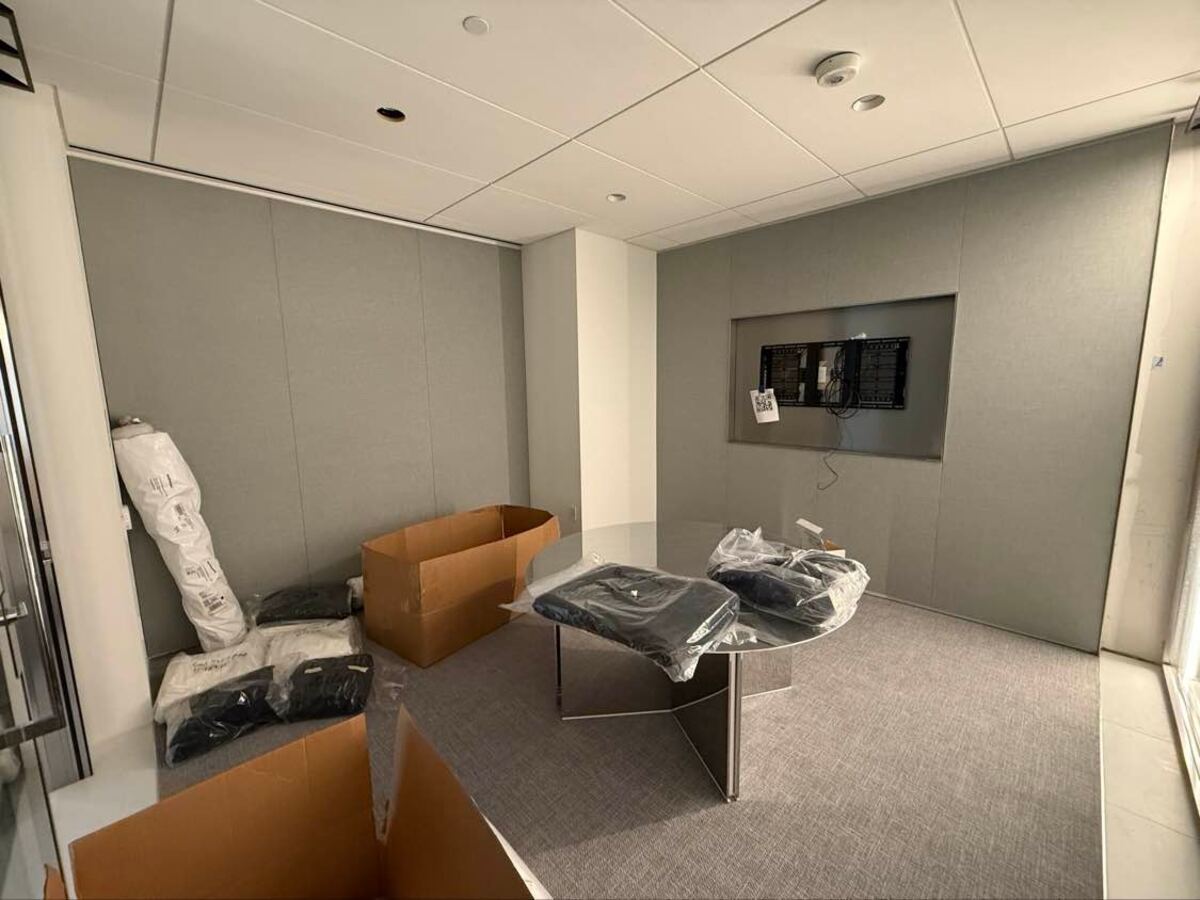
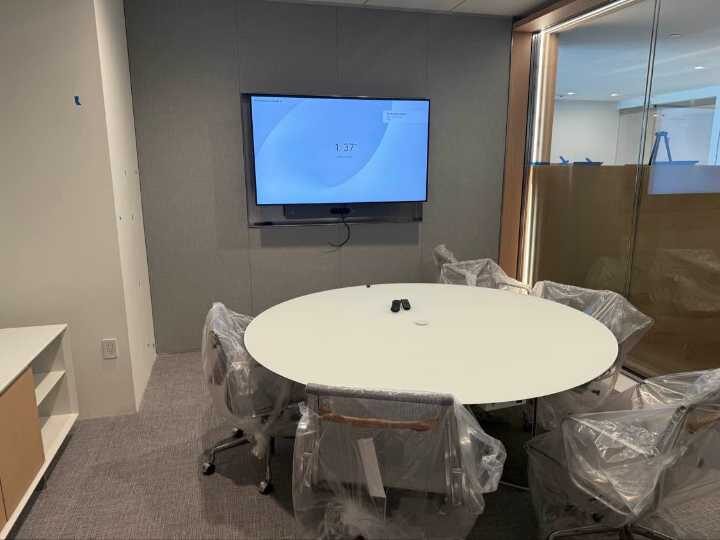
| Conference rooms | Displays, cameras and Cisco video conferencing; table microphones terminated to Dante audio devices; Crestron CP4N control with serial control cabling; wireless access points so wall touch panels control each room |
| Flagship boardroom | Dual 98" displays, front PTZ camera, Cisco camera bar and Cisco touch panel |
| Round-table rooms | Displays, mic adapters and Crestron CP4N controllers |
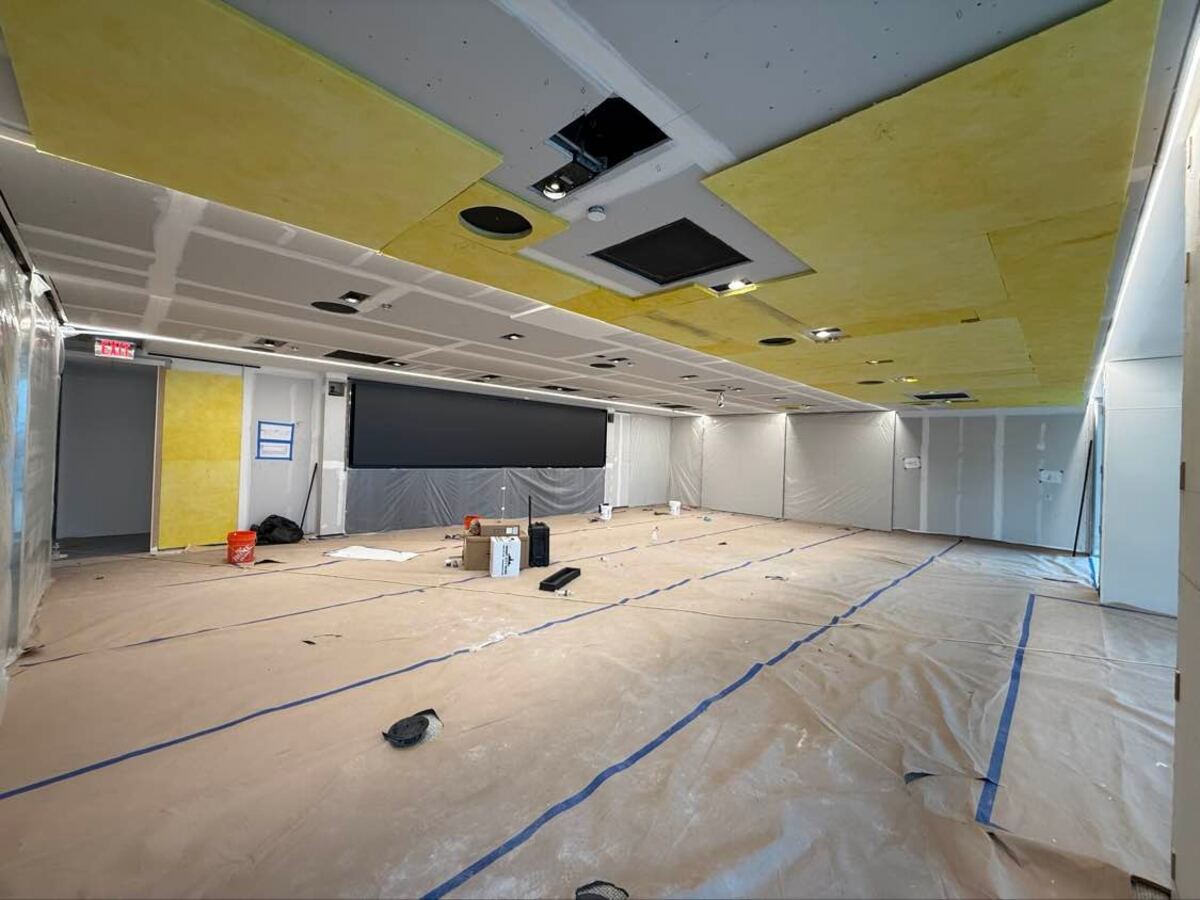
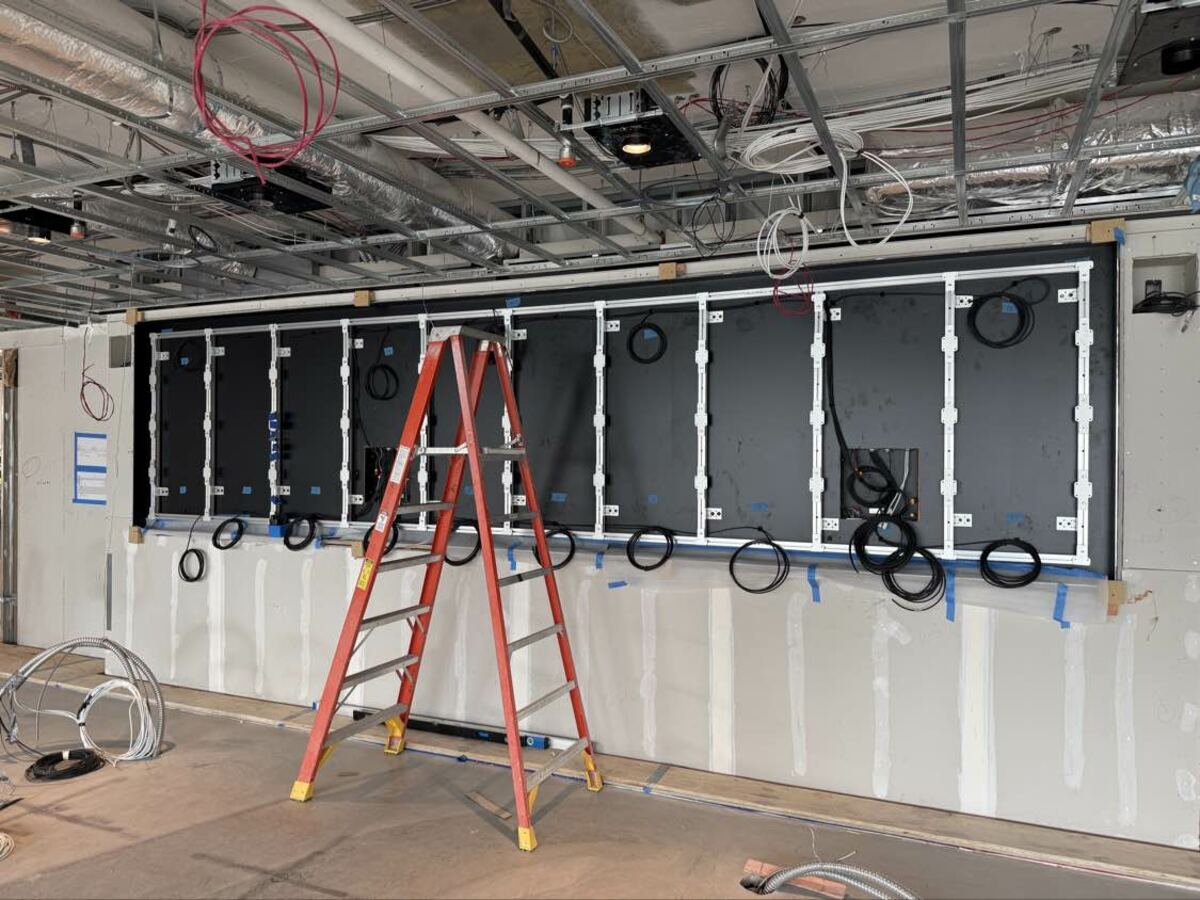
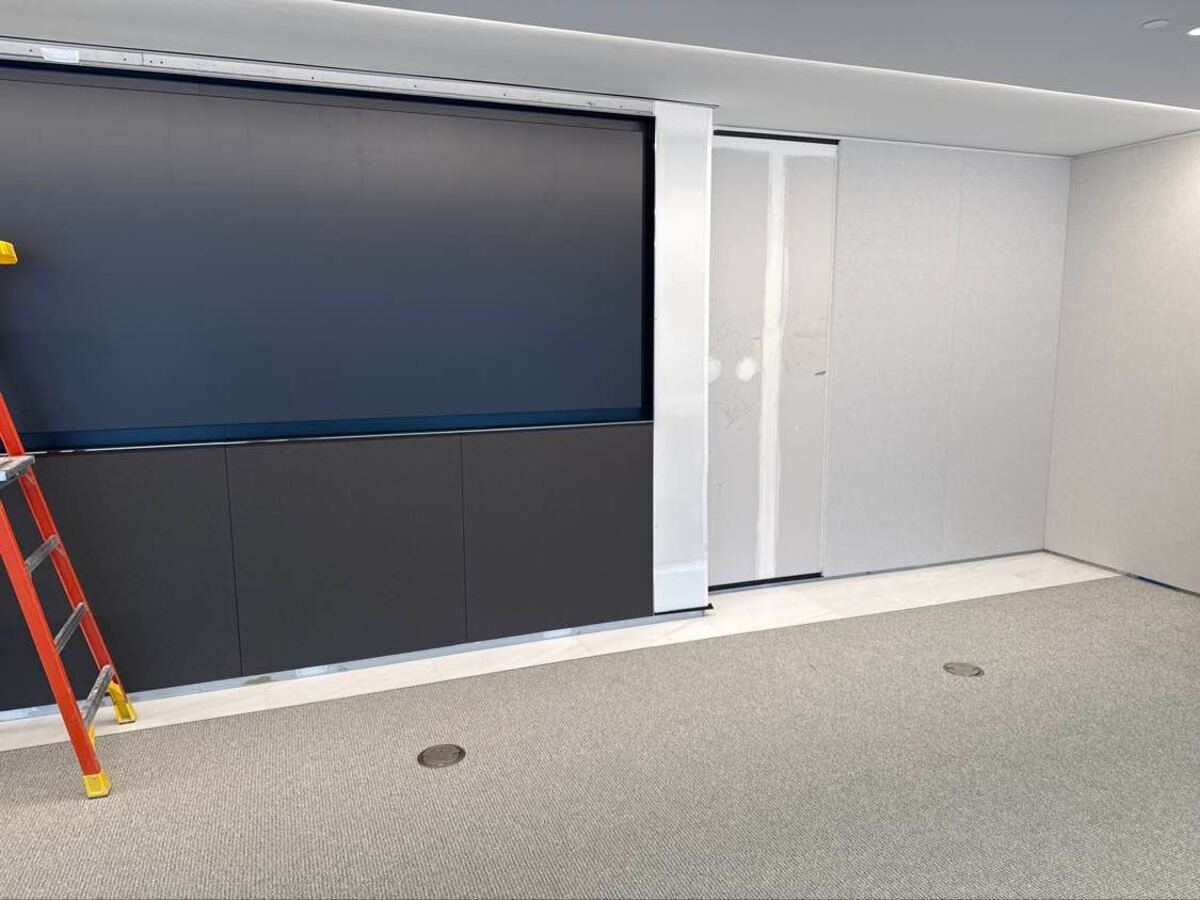
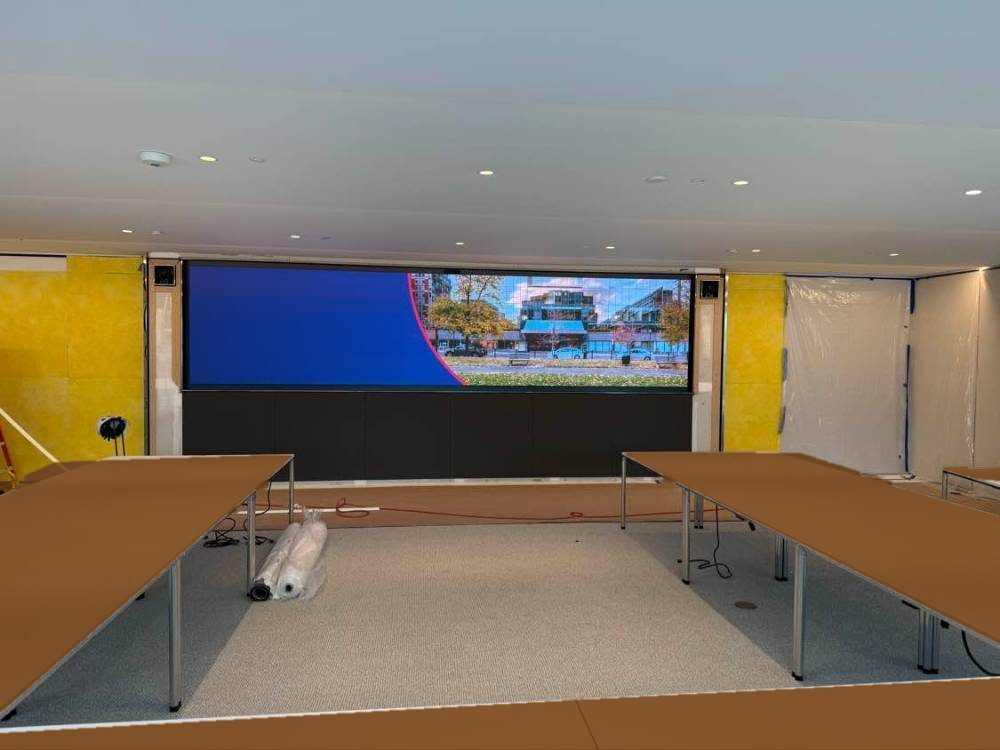
| Multipurpose room and control room | LED wall frame leveled to tolerance and LED wall installed, ceiling mics finished to match the ceiling, center camera above the LED wall, transmitters in floor boxes, front and rear PTZ cameras, wired mics, Barco presentation system on dedicated power, Bluetooth audio, and a control-room display tied to a Crestron encoder |
| Video wall | Setup and commissioning with the video wall vendor |
| Barista bar | Display, mounts and Crestron devices, with the touch panel placed on the opposite side of the wall |
| All meeting rooms | Room schedulers installed at every room |
| MDF and AV racks | CP4N controllers installed, new shielded Cat6 run between floors, cable TV boxes connected and activated, full front-of-rack labeling for client-side troubleshooting |
| Network integration | MAC and IP address captured for every AV device, including video codecs and room schedulers, and handed to the client's IT team for VLAN setup |
From Rough-In to Handover: Project Photos
The Results
The client moved into a fully connected office with every room installed, tested, labeled and on the client's network.
- Every room delivered across both floors, from small huddle rooms to a hybrid event space and video wall.
- IT-ready from day one. A complete device inventory with MAC and IP addresses let the client's IT team bring the AV network onto its VLAN without hunting for equipment.
- Easier to support. Clearly labeled racks and wiring mean the client's own team can troubleshoot without calling a technician for every question.
Technology Snapshot
Office AV Installation FAQs
How long does an office AV installation take during a build-out?
On this two-floor Washington, DC office, VSSi was on site from April through August 2026: cable and speaker rough-in first, the LED wall and ceiling devices next, then racks, final install and commissioning as rooms were finished.
Can AV work start before the rooms are finished?
Yes. Starting early with speaker zoning, cable pulls and rack preparation lets the final install move quickly once walls, ceilings and furniture are in place.
Do you work with the client's IT team?
Yes. VSSi records the MAC and IP address of every networked AV device, including video codecs and room schedulers, so the client's IT team can place the AV network on a secure VLAN.
Do you install LED video walls and conference room AV outside DC?
Yes. VSSi installs conference room AV, video walls and LED walls for offices across Washington, DC, Maryland and Northern Virginia.